
CARFAX Vehicle History Report by VIN
Get a Detailed CARFAX Report
Enter a 17-character VIN to check accidents, ownership, mileage and service history
Frequently Asked Questions
What is a CARFAX Vehicle History Report?
What do I need to order a CARFAX report?
How quickly will I receive the report?
Does a CARFAX report show every accident?
Can I use the report when buying a vehicle at an auction?
Does a vehicle history report replace an inspection?
What happens if the CARFAX report is not found?
Get a CARFAX Vehicle History Report by VIN
Buying a used vehicle is a major decision, and its appearance alone does not always reveal its true condition or previous history. A CARFAX Vehicle History Report by VIN can provide valuable information about a car’s reported past and help you make a more informed purchase. By entering the unique 17-character Vehicle Identification Number, you can access available records related to accidents, damage, title history, mileage, previous ownership, registration events, service history and other important vehicle details.
A used car may look well maintained while having previously been involved in an accident, declared a total loss, exposed to flood damage or issued a salvage or rebuilt title. It may also have inconsistent odometer readings or a history of commercial, rental or fleet use. Checking the vehicle history before completing a purchase can help identify potential warning signs that may affect the car’s condition, safety, resale value and future maintenance costs.
What Information Can a CARFAX Report Include?
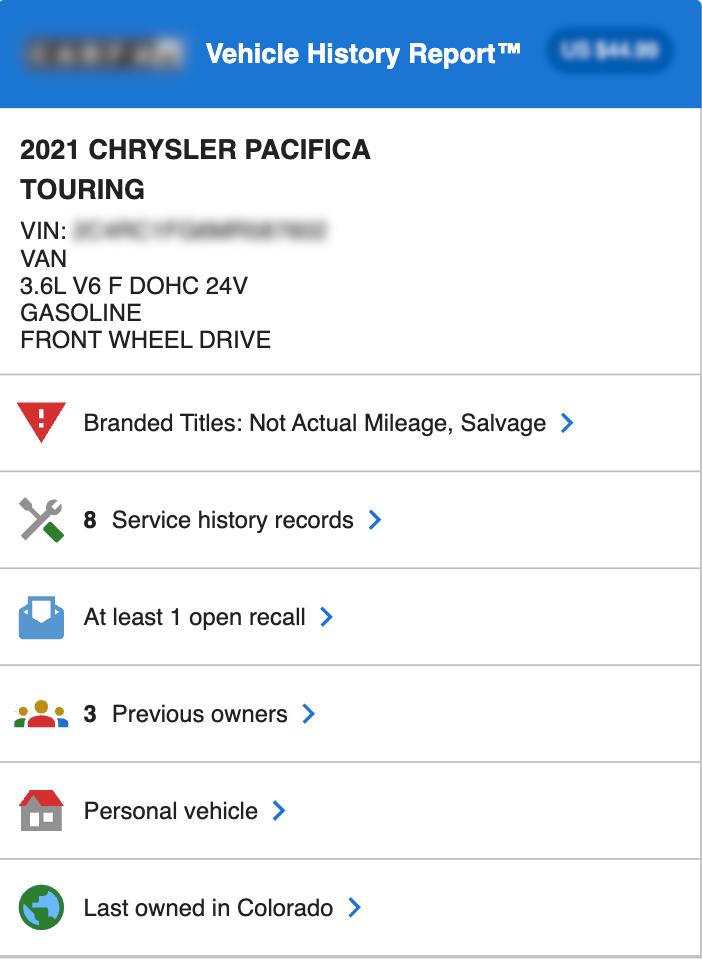
The information available in a CARFAX report is collected from participating data sources, which may include motor vehicle agencies, insurance companies, auto auctions, dealerships, repair facilities, inspection stations and other automotive organizations. Depending on the available records for a specific vehicle, the report may include reported accidents and damage, title brands, total loss records, odometer readings, ownership changes, registration locations, service visits, maintenance records and manufacturer recall information.
Accident and damage history may provide details about reported collisions, structural damage, airbag deployment or other incidents. Title history can help identify whether a vehicle has ever received a salvage, rebuilt, flood, junk, lemon or other branded title. Odometer records allow you to compare mileage readings reported at different points in the vehicle’s history and may help reveal possible inconsistencies or rollback indicators.
The report may also show the estimated number of previous owners, the length of ownership and how the vehicle was reportedly used. For example, it may indicate personal, commercial, rental, lease, taxi or fleet use. Available service and maintenance records can provide additional insight into how regularly the vehicle was maintained and whether important repairs or inspections were reported.
Why Check a Used Vehicle by VIN?
Checking a vehicle by VIN is an important step when buying from an auto auction, dealership or private seller. A CARFAX VIN report can help you compare several vehicles, evaluate possible risks and ask more specific questions before making a final decision. It can also provide useful information when reviewing vehicles imported from the United States or purchased through Copart, IAAI and other automotive auctions.
For example, a vehicle with a previous accident is not necessarily a bad purchase, but knowing about the reported damage can help you evaluate the quality of repairs and arrange a professional inspection. A salvage or rebuilt title may affect registration requirements, insurance options and future resale value. Mileage inconsistencies may require additional verification of the odometer and available service documents.
A vehicle history report can also help confirm information provided by the seller. You can compare the VIN, year, make, model, reported mileage and ownership details with the vehicle listing and official documents. Any differences should be investigated before payment or purchase.
How to Get a CARFAX Vehicle History Report Online
To get a CARFAX Vehicle History Report, enter the valid 17-character VIN into the search field and complete your order. Once the report has been generated, you will be able to view and download it from your account. A link to the completed report will also be sent to the email address provided during checkout.
The VIN can usually be found on the driver-side dashboard near the windshield, inside the driver-side door frame, on the vehicle title, registration certificate, insurance documents or auction listing. Before ordering a report, make sure the VIN contains exactly 17 characters and matches the number displayed on the vehicle and its documents.
Make a More Informed Used Car Purchase
A CARFAX Vehicle History Report can provide important information about a vehicle’s reported past, but it should be used as part of a complete vehicle evaluation. A history report does not replace a professional mechanical inspection, diagnostic check, test drive or verification of ownership and title documents. Not every accident, repair or maintenance event is necessarily reported to vehicle history databases.
For better protection, review the report carefully, inspect the vehicle with a qualified specialist and verify all available documents before completing the purchase. Enter the VIN today to get a CARFAX Vehicle History Report and learn more about the vehicle’s reported accident history, title status, mileage, previous ownership and service records.
CARFAX is a registered trademark of CARFAX, Inc. This website is not affiliated with or endorsed by CARFAX, Inc. Vehicle history information depends on records available from reporting sources and may not include every event in a vehicle’s history.